The Edit Expedition: Designing a Learning Journey and Discovering My Voice as a Designer
When my team and I set out to create our instructional module, we knew we wanted to help beginners step confidently into the world of video editing. DaVinci Resolve can feel overwhelming at first glance—layers, tools, timelines, terminology—and our goal was to design something that felt approachable, structured, and engaging rather than intimidating.
We didn’t yet know what shape that would take, but we were clear on our target audience, their anxieties, and what would help them move forward with confidence.
The direction of the project emerged in a completely unexpected way—one that ultimately shaped everything that followed.
Behind the Scenes of Building the Expedition
The idea for The Edit Expedition actually came to me in the most unexpected way. Around the same time we began planning the project, I was completing a Conqueror virtual race—the Van Gogh route through France. Every time I logged miles, I unlocked postcards, artwork, and little narrative snapshots from Van Gogh’s life. It felt playful and purposeful at the same time, and I remember thinking: Why can’t learning feel like this? Why can’t we build an instructional journey that feels like a path you’re actually traveling?
When I brought the idea to my team, I’ll be honest—they were a little skeptical. A themed “expedition” wasn’t what anyone had originally pictured. But I also felt strongly that our design needed more than a list of tutorials. It needed atmosphere. It needed narrative. It needed something memorable that could anchor learners emotionally while they navigated complex software for the first time.
So I gently pushed for it.
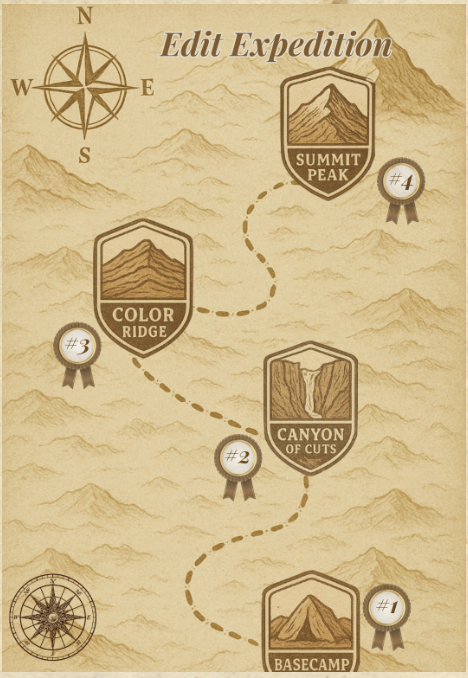
Not in a “this is the only way” kind of push, but in a “let’s try this and see what it opens up” way. And slowly, the idea clicked. Once we started mapping each editing skill to a physical landscape—Basecamp, Canyon of Cuts, Color Ridge, Sound Summit—the whole structure suddenly made sense. It became more than modules. It became a path. A journey. A place for beginners to explore without fear of getting lost.
And once the team leaned in, their creativity elevated the concept far beyond my initial idea. Design decisions became easier because the metaphor held everything together. The learning path flowed naturally. The visuals felt cohesive. Even the naming conventions started guiding our decision-making.
Looking back, advocating for the “creative flare” was one of the most satisfying parts of the project. It taught me that sometimes instructional design needs a spark of imagination to make the whole thing come alive.
A Quick Tour of What We Built
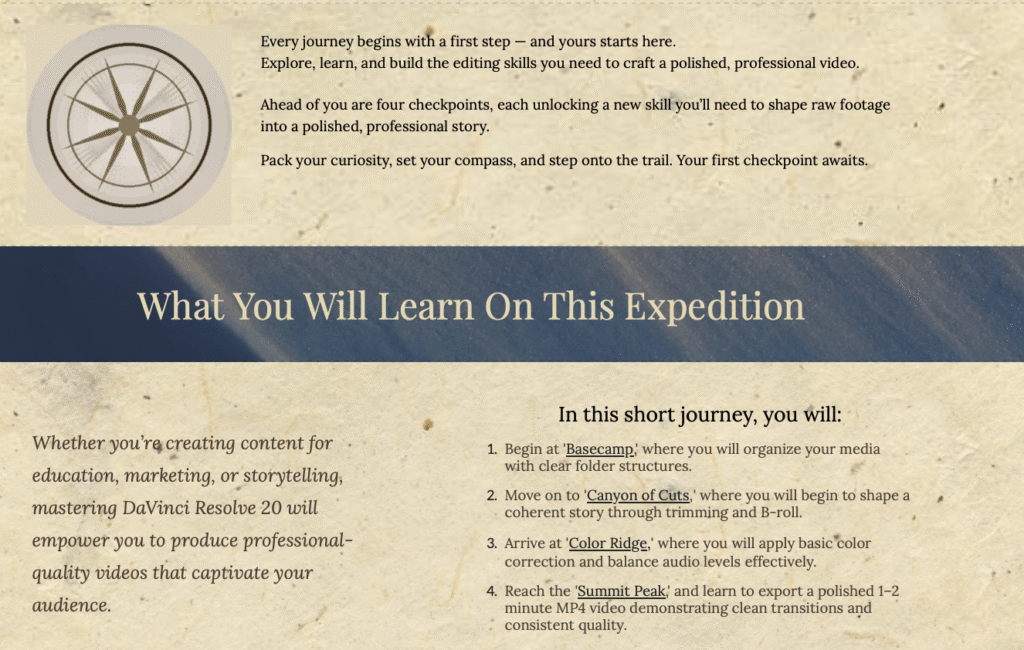
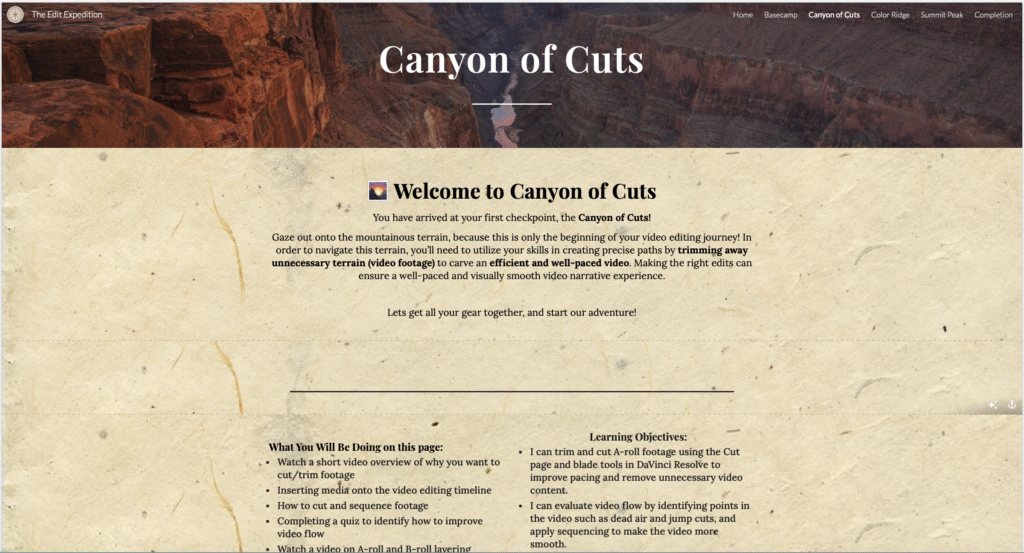
The Edit Expedition is a five-stage instructional journey designed specifically for beginners stepping into DaVinci Resolve:
- Basecamp – Orientation, setup, and foundational tools
- Canyon of Cuts – Building and trimming the timeline
- Color Ridge – Intro to color correction
- Sound Summit – Basic audio cleanup and enhancement
- Completion– Rendering and exporting the finished project
Each “location” features multimodal tutorials, structured tasks, and resources intentionally sequenced to reduce cognitive load. The thematic structure supported both navigation and motivation—learners always knew where they were and where they were headed next.
Instructional Goals, Objectives, and Alignment
A major strength of our design is how clearly our learning objectives aligned with the task analysis and activities. We broke video editing into manageable steps and mapped each step to a specific objective and tutorial. This ensured that the learning experience supported actual performance, not just conceptual understanding.
I genuinely feel we fulfilled this part of the assignment fully. The alignment between objectives, instructional content, and expected learner actions is tight, intentional, and grounded in real editing tasks.
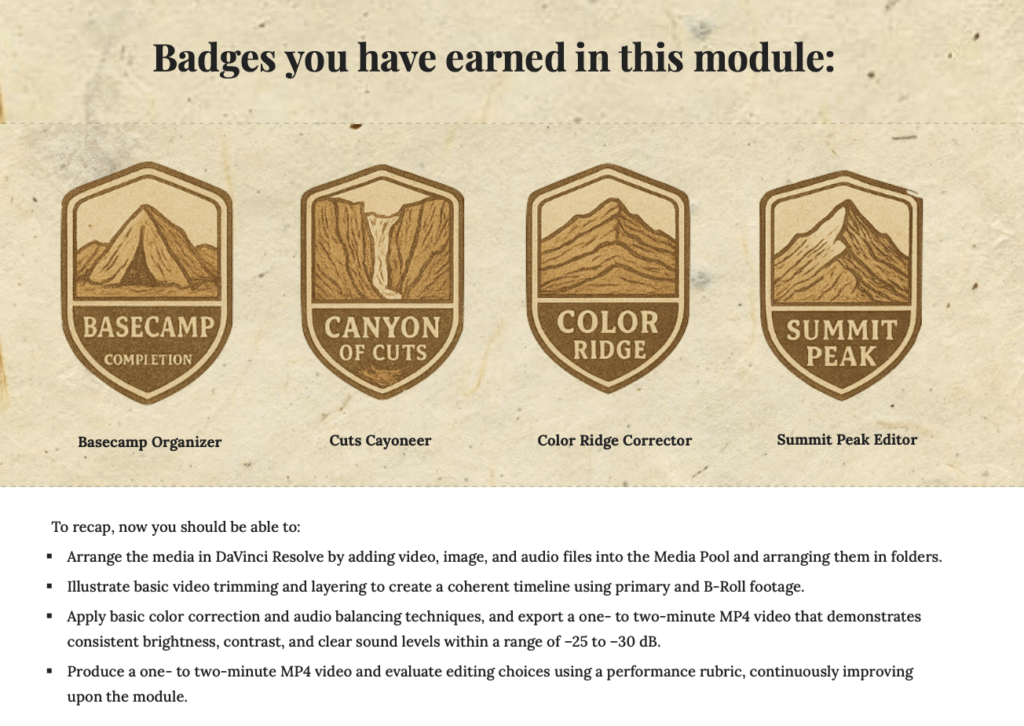
If this were to evolve beyond the scope of the course, one enhancement I would consider is integrating micro-assessments or small practice challenges at the end of each stage. Our badges and checkpoints absolutely met the requirements and served the motivational aspect beautifully; a future iteration could simply deepen learner verification of mastery.
Learner Experience & Usability (Kirkpatrick Level 1)
Throughout the design process, we held one foundational question at the center:
Will a true beginner feel supported, oriented, and empowered as they move through this?
Based on internal walkthroughs and peer feedback, I believe the answer is yes:
- The expedition metaphor softened the intimidation of learning advanced software
- Navigation was clear and consistent
- Instructions used friendly, accessible language
- We provided multiple modalities (video + text) to meet learner preference
- Accessibility was not an afterthought—contrast, structure, layout, and clarity guided our choices
A formal pilot test with actual learners would strengthen our evidence, and I’d love to see a future class take this design into that next evaluative stage.
Effectiveness & Alignment With the Design Case
The Design Case asked us to help beginners learn DaVinci Resolve without becoming overwhelmed or discouraged.
I believe The Edit Expedition does exactly that.
The structure scaffolds learning in a way that:
- Reduces cognitive load
- Breaks the workflow into achievable steps
- Uses metaphor to enhance clarity and memory
- Supports motivation through progress markers
- Connects every tutorial to a real editing task
Our internal evaluation—both individually and as a team—suggests that the instructional solution meets learner needs and achieves the goals we identified in the beginning.
Opportunities for Future Enhancements
These are not gaps—just future possibilities:
- Micro-assessments to help learners self-check their understanding
- Interactive elements such as hotspots, GIFs, or downloadable practice files
- Usability testing with actual beginners
- Pacing variations (slower videos, deeper dives, optional advanced detours)
A Note on Platform Affordances
Because this project was built in Google Sites, we worked within certain technical limitations. The platform supported a clean, accessible, easy-to-navigate structure, but a more robust LMS—such as Rise, Canvas, or Storyline—would allow for features like pacing variations, dynamic branching, interactive maps, embedded practice environments, and more complex assessments. These enhancements weren’t required for the goals of this assignment, but recognizing the platform’s affordances and constraints helped me think more strategically about how the design could evolve for real-world learners or future iterations.
What I Learned About Myself as a Designer
One of the most surprising outcomes of this project was how much I grew into my own creative leadership. When I first suggested the idea of turning our instruction into a themed “expedition,” it wasn’t immediately embraced. My team wasn’t against it—they were just unsure. It felt like a swing, and I could sense their hesitation.
But something in me knew the project needed a creative spine, not just a structure. I kept returning to that feeling I had on the Van Gogh Conqueror race: learning as movement, as discovery, as a path you take step by step. I believed that bringing that energy into our instructional design would make the experience more meaningful for learners.
Advocating for that idea—gently, collaboratively, and with openness—taught me something about my design instincts. I’m someone who sees possibility early. I can feel when a concept has life in it, even when it’s still rough. And while I absolutely value collaboration, I also learned that sometimes my role is to hold the creative vision long enough for others to see it too.
Once the team came on board, the design elevated in ways I couldn’t have achieved alone. Their refinements, visuals, pacing, and ideas enriched the expedition concept and made it truly ours. That experience reminded me that creativity and collaboration aren’t opposites—they strengthen each other.
I also learned that my strengths lie in translating complexity into clarity. Breaking down the editing workflow into teachable steps and connecting each one to a metaphorical “location” felt intuitive and energizing. It made me realize how much I enjoy crafting pathways for learners—pathways that not only teach a skill but also give them a sense of progress and momentum.
At the same time, I became more aware of areas where I want to grow—particularly in designing assessments that feel authentic and integrated, and in gathering real learner feedback earlier. This project showed me how essential formative evaluation is, not as an afterthought, but as a design tool that shapes the experience from the beginning.
Most of all, I learned to trust the part of me that imagines what could be, not just what already exists. Instructional design is both science and art, and this project allowed me to lean into both sides.
Closing: The Journey Continues
The Edit Expedition became more than a class project—it became a reflection of how I imagine, how I collaborate, and how I design learning that feels human, intuitive, and meaningful.
It reminded me that learning is movement.
That design is discovery.
And that sometimes all a project needs is one person willing to say,
“What if we try this?”
I’m proud of what we built.
I’m proud of who I became while building it.
And I’m excited for wherever the next expedition leads.